
How Vendors Can Send Quotations on StakleMeet – A Step-by-Step Guide
Are you a vendor looking to connect with clients and grow your business online? StakleMeet makes it easy to respond to client requirements by sending quotations directly through the platform. This guide walks you through the full process — from registration to sending your first quotation.
Step 1: Register as a Vendor on StakleMeet
To get started, visit our Vendor Registration Page and complete the sign-up form with your details.
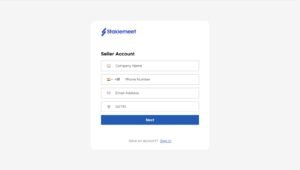
After registering, you’ll gain access to your personalized dashboard where all your interactions are managed.
Step 2: Access Your Vendor Dashboard
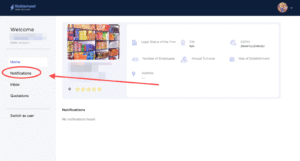
Once logged in, go to your Vendor Dashboard. On the dashboard, you’ll find a menu option called Notifications — this is where new client requirements are listed.
Step 3: Check New Client Requirements
Click on the Notifications tab. You will now see a list of requirements posted by clients relevant to your category or service area.
Each requirement has a Send Quotation button beside it.
Step 4: Fill In the Quotation Form
When you click Send Quotation, a form will open where you need to enter:
Item Name or Service Title
Description
Unit Price or Total Amount
The system will auto-calculate the total cost based on your entries.
Step 5: Submit the Quotation
Once you’ve reviewed all the details, click Send Quotation. The quotation will be automatically delivered to the client through the in-platform chat system.
This makes follow-up and communication easier and faster.
Final Thoughts
StakleMeet empowers vendors by giving them direct access to client requirements and a simple way to respond with quotations. Start by registering today and take your business online.
💬 Still have questions? Visit our Help Center or contact us.